Catch the detail.
A warning is easier to talk about when you’ve saved the exact message and what was happening when it appeared.
 garageJoin the waitlist ↗
01 / KNOW YOUR CAR / LAUNCHING IN 2027
Understand what your vehicle is telling you—and bring better context to the people who help look after it.
Join the waitlist ↗
Illustrative readings · Reported 2 min ago
THE SAME NUMBER. A DIFFERENT STORY.
A useful reading has more than a value. It has a source, a time, and a clear explanation of what you can do with it.
A warning is easier to talk about when you’ve saved the exact message and what was happening when it appeared.
Plain-language guidance explains the system involved and gives you questions to bring to your service team.
Bring the report, your observations, and relevant service history together when you request a visit.
01 / CONNECTED VEHICLE HEALTH
See supported readings from your vehicle alongside its service history. Understand what was reported, when it arrived, and what to discuss with your service team.
Mileage, fuel or battery information, and supported diagnostic codes appear with the time they were received. A fresh reading and an older one should never look like the same thing.
Explore dashboard lights and the systems behind them. Bring together the warning, what you noticed, and any recent work before you ask for help.
Connect a compatible vehicle through the supported method, review the permissions, and manage or revoke that connection. Available readings depend on your vehicle and connection.
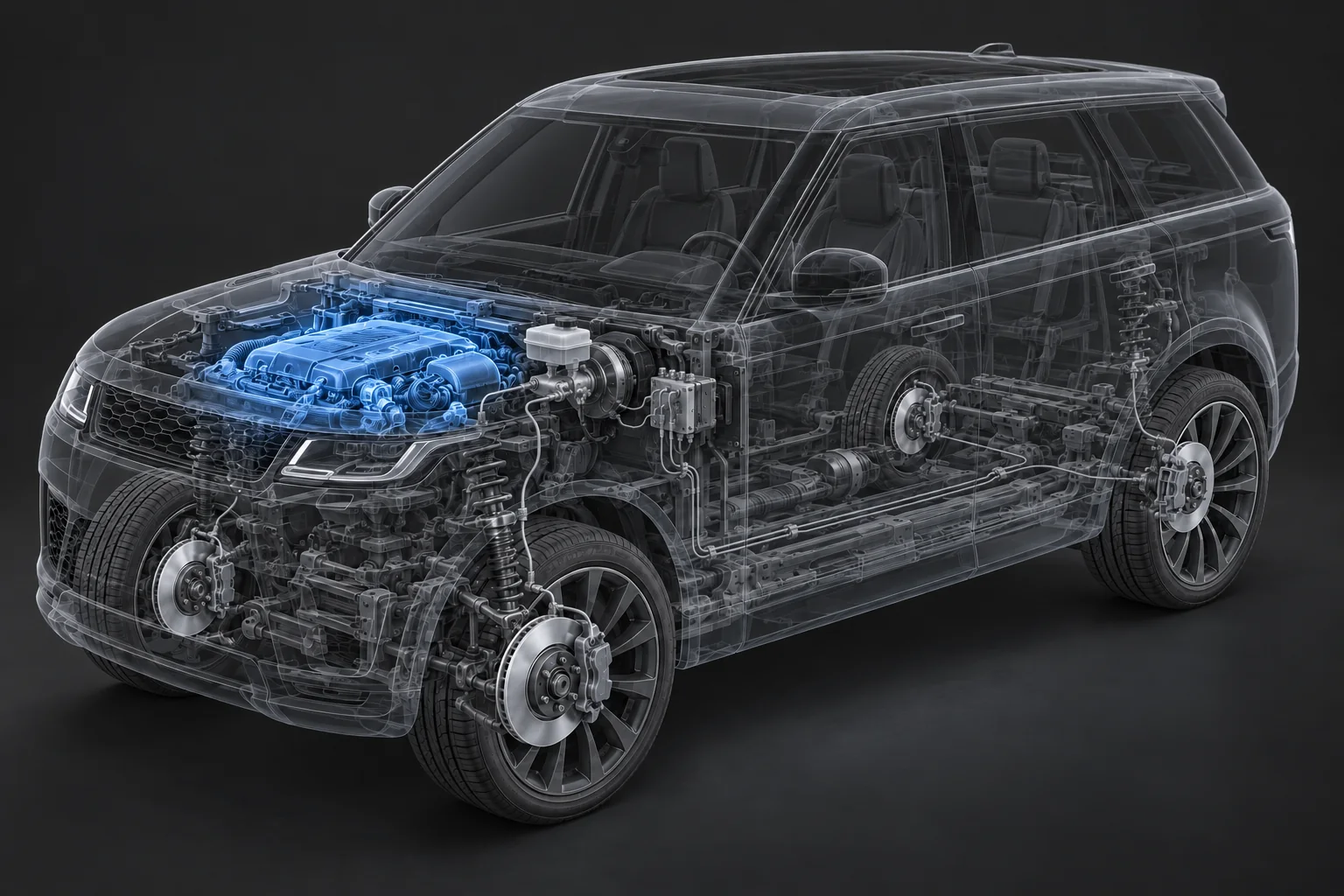
UNDER THE SURFACE / ENGINE BAY · ILLUSTRATIVE
A small leak was reported in the system that contains fuel vapors.
When did the light appear? Did anything feel different?
Keep recent work and relevant records beside the report.
Share the context with your service team. Diagnosis confirms the cause.
YOUR VIRTUAL OWNER’S MANUAL
Connect your phone. Make the settings yours. Understand what that mode actually does. Garage helps you get comfortable with the features you already own, with guidance you can come back to.
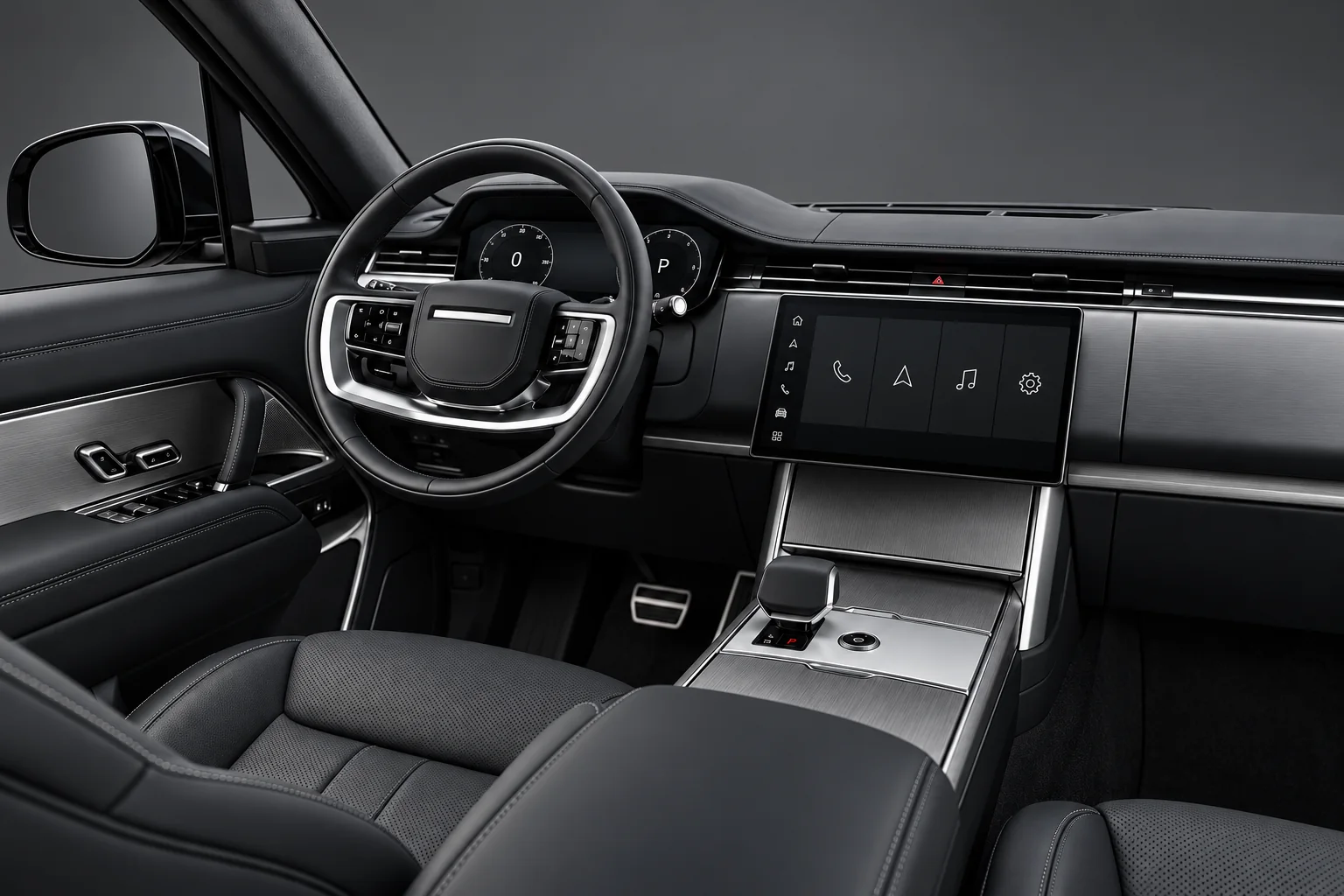
Miles helps you find the relevant setup guidance.
Find guidance for Bluetooth pairing, calls, audio and supported Apple CarPlay or Android Auto connections. Understand the connection method and permissions, and where to look if the phone won’t reconnect.
Explore available driver profiles, seat memory, display settings, climate preferences and notification choices. Learn what each setting changes and how to find it in your vehicle’s menus.
Understand the purpose of available drive modes, parking aids and driver-assistance features. Find explanations of how they work, what the indicators mean, and the limits described by the manufacturer.
ASK MILES / FIND YOUR WAY
Ask in your own words. Garage brings everyday explanations and relevant owner resources closer, so unfamiliar labels become features you know how to use.
Features and menu paths vary by model, year and equipment. Use vehicle-specific manufacturer instructions for exact setup and operating limits. Make setup changes while parked.
RECALL WATCH / ONE LESS THING TO REMEMBER
You shouldn’t have to remember to check for recalls. Garage watches for new matches and brings the details back to the vehicle you already keep here.
A new match, brought to you.See what was found, the source, and when it was checked.
Clarity about your car.Know whether a notice matches your model or has been confirmed for your VIN.
A next step you can take.Keep the notice ready when you ask your dealership to confirm applicability and the remedy.

A recall notice matches this vehicle’s year and model. Your dealership can confirm whether your specific vehicle is affected.
Illustrative example, not an actual recall notice for the vehicle shown.
KNOW YOUR CAR / UNDER THE SURFACE
“Brake fluid service” means more when you can see the system behind it. Garage turns unfamiliar service terms into something you can understand—and ask better questions about.
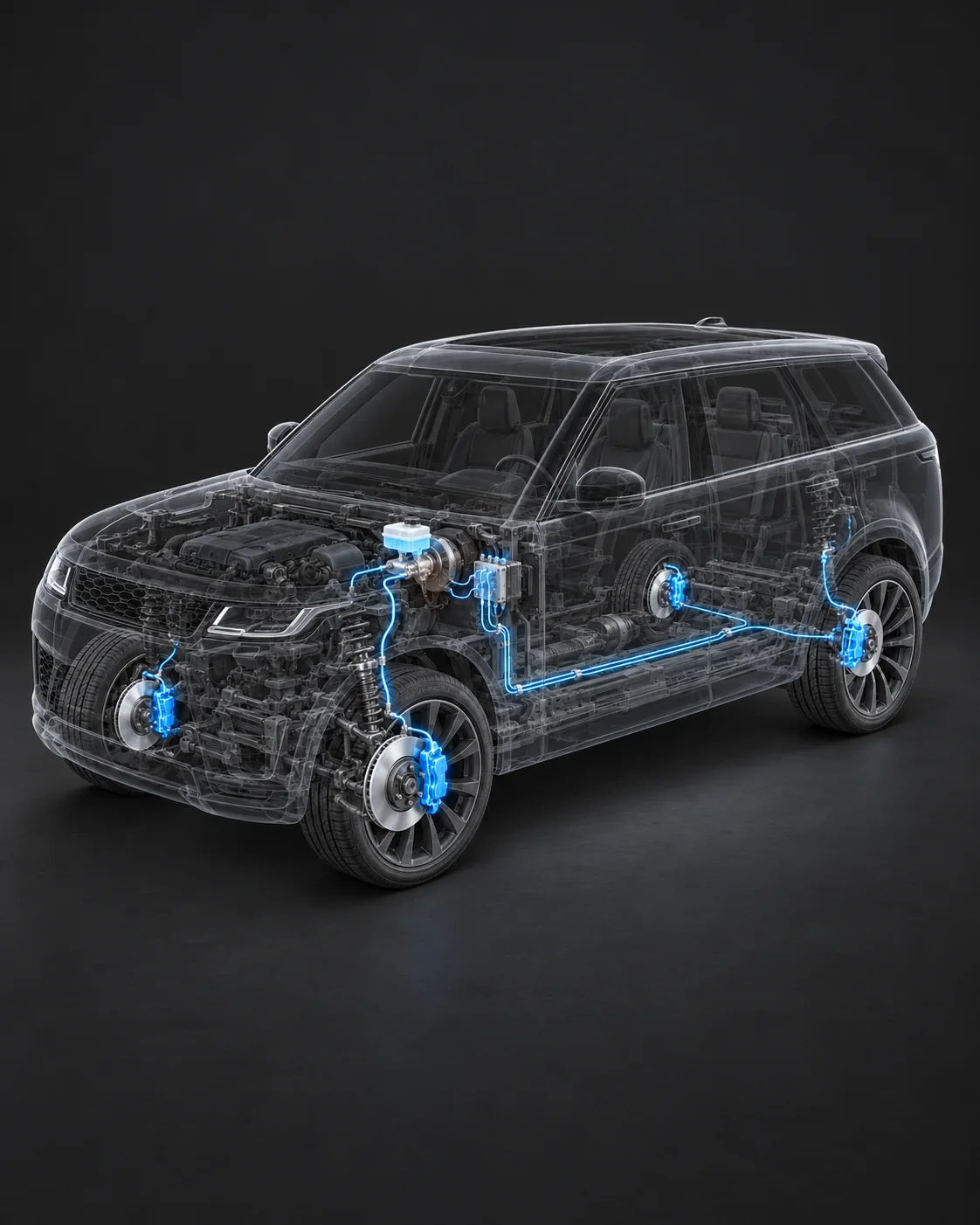
ONE SYSTEM. THREE THINGS TO KNOW.
Brake fluid carries hydraulic pressure through lines and hoses to the wheel brakes, where the pads press against the discs.
Common glycol-based fluids absorb moisture over time. At high braking temperatures, vapor can form. Vapor compresses more easily than liquid, reducing effective pressure transfer.
Replacing aged fluid helps restore boiling performance. Follow your vehicle manufacturer’s required fluid type and service schedule—the interval varies by vehicle.
“What maintenance interval or fluid test supports this recommendation for my vehicle?”
Use your vehicle manufacturer’s fluid specification and service schedule. Your service team can explain the findings behind the recommendation.
UNDERSTAND THE ESTIMATE
Explore what a service involves and the questions to ask. Keep the explanation beside the shop’s quote.
GET TO KNOW YOUR CAR
Explore dashboard lights, common services, and official owner resources when you need them.
MILES, A STARTING POINT
Find relevant guidance and help with vehicle features, then bring useful context to your service team.
GARAGE / THE EVERYDAY DETAILS
Save the exact warning and the conditions around it: when it appeared, what you were doing, and anything you felt or heard. Your observations add context a number alone cannot provide.
Look at the reading alongside recent service, mileage and your notes. Keep the source and received time visible so you know how current the information is.
Share the report and your observations with your service team. Garage helps you understand the terminology and prepare; inspection and diagnosis establish what needs attention.
LAUNCHING IN 2027
Be there when Garage opens.
Join the waitlist for launch updates and availability news.